
Getting started
1. Create your account
- Go to app.devghouse.com.
- Click Sign up.
- Fill in your name, email, and a password, and accept the terms.
- Click Sign Up. You now have an account with 100 free credits.
You can also sign up with GitHub, Google, X, or another connected provider instead of a password, using the buttons on the same screen.
2. Finish the short setup screen
After you sign up, you land on a one-step setup screen. If you have a beta code, enter it. If you do not, click Skip for now. Either way, you land straight on your dashboard with your starting credits.
3. Your dashboard
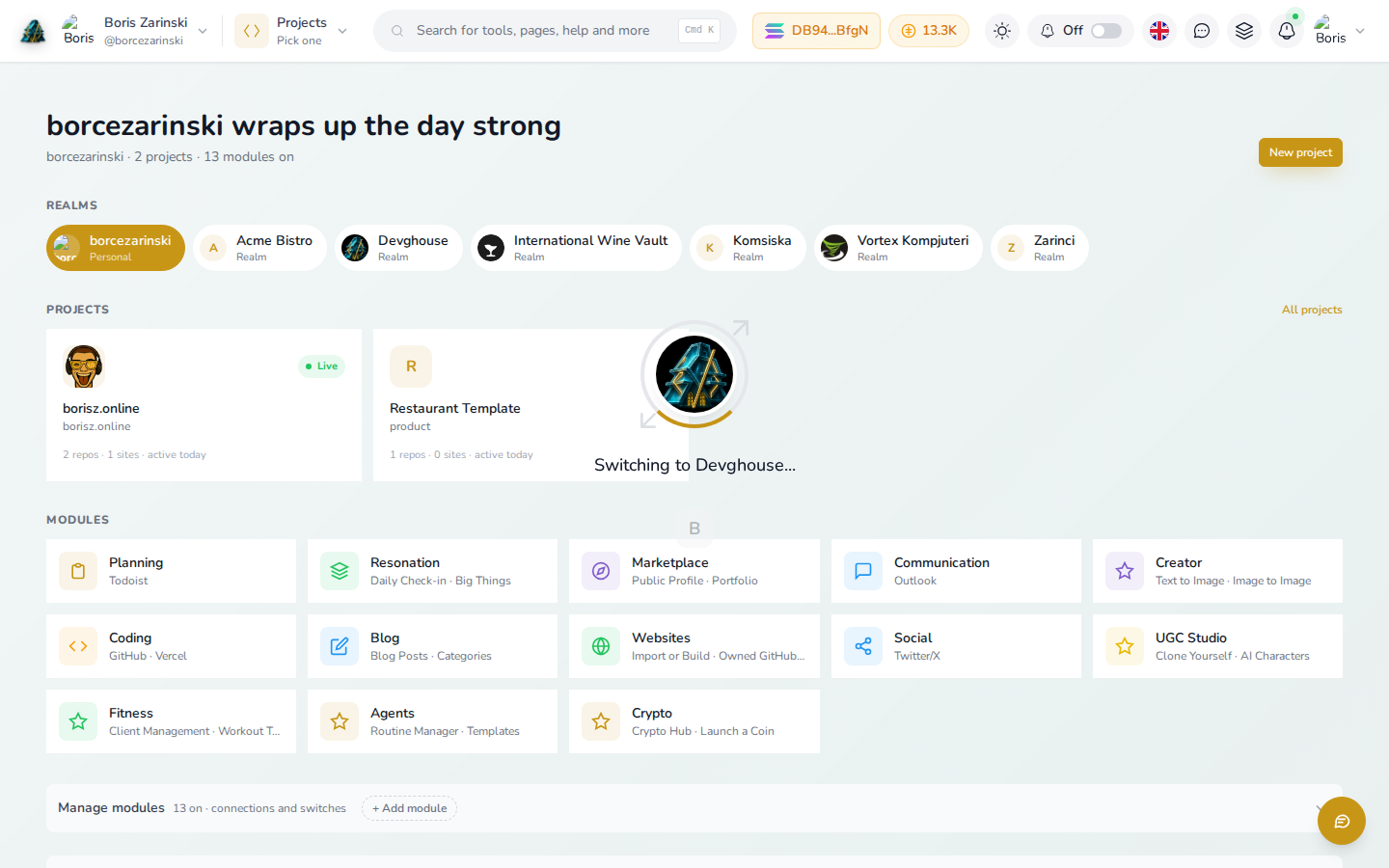
This is your home screen every time you sign in. It has three parts:
- Your workspaces, along the top: your personal account plus any team workspace you belong to. Click one to switch into it, the screen above was caught mid-click, with a "Switching to..." loader over the page while it moves you into the new context. Everything below the switcher, projects, credits, files, belongs to whichever workspace is selected. See Workspaces and teams for how to create one.
- Your projects, in the middle. Click New project to start one, or open an existing one, here that is borisz.online (live) and Restaurant Template. See Projects.
- Your modules, at the bottom: the feature areas turned on for this workspace, such as Planning, Creator, Coding, or Crypto. Click any tile to jump straight into it. Click Manage modules to turn more on or off.
4. Find your way around
Once you open a project or a feature area, a left-hand menu replaces the dashboard. A few things stay the same wherever you are:
- Top left: your name and current workspace. Click it to switch workspaces.
- Top bar: a search box, your credit balance, notifications, and your account menu (top right).
- Back to workspace, at the top of the left menu inside most features, always takes you back to the dashboard.
5. Signing back in
Go to app.devghouse.com and sign in with your email and password, or the same provider button you signed up with. You land back on your dashboard, in the workspace you last used.