
Comics
Comics, at comics.devghouse.com, turns a story idea into an editable comic. You describe what should happen, and the studio plans the pages and panels for you. From there, everything stays open: you can rewrite a line of dialogue, swap a panel's art, add a translation, or reorder a page, without touching anything else in the project.
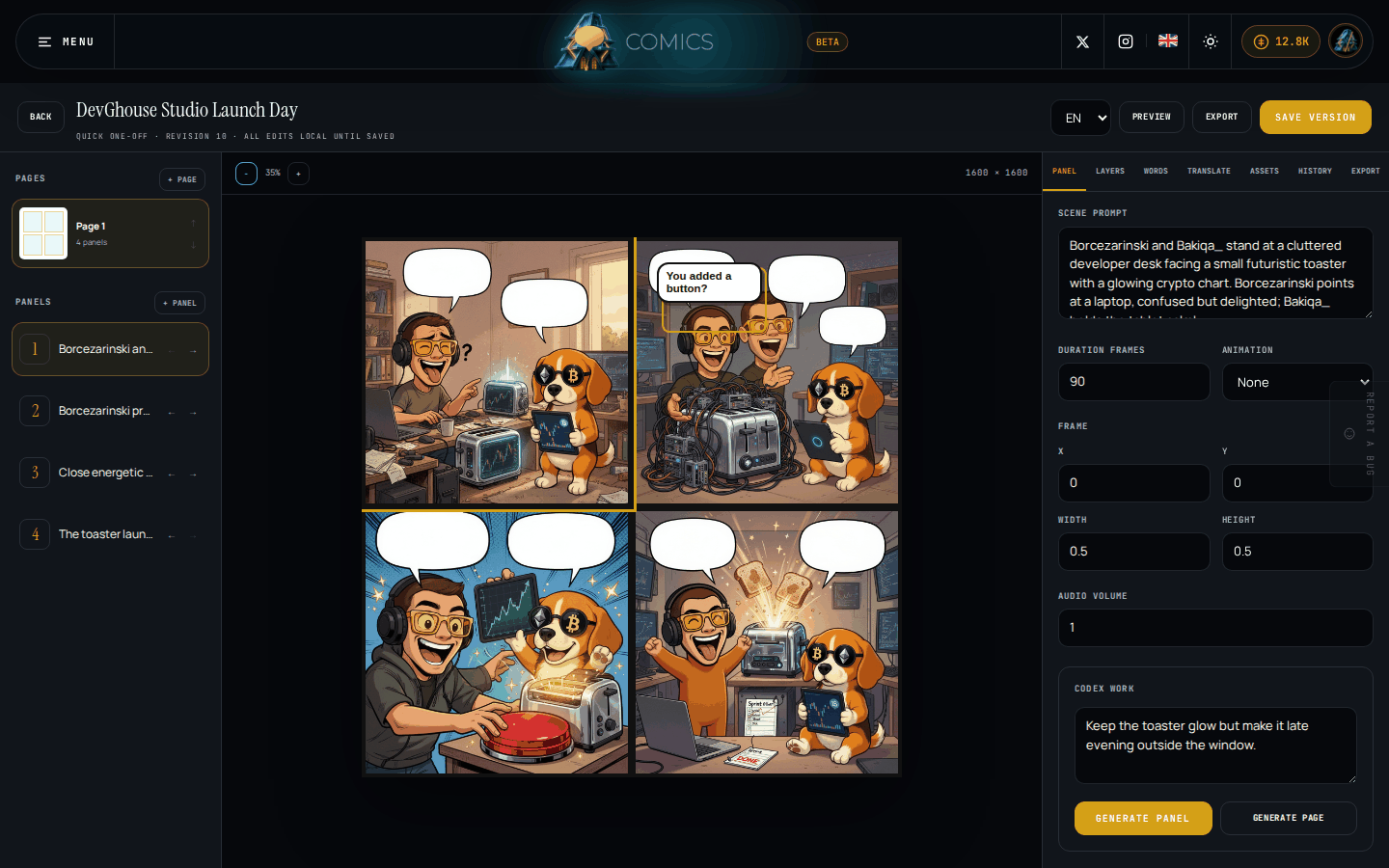
The screen above is a real project from inside the studio: DevGhouse's own launch story, planned, drawn, and lettered the same way yours will be.
Comics is currently in beta, which means it works end to end but is still being tightened up.
Who this is for
- Anyone with a story idea who wants to see it as a comic without drawing it themselves.
- A creator making a single image, meme, or short strip who only needs one page done well.
- A writer planning a longer story who wants chapters, a consistent cast, and translations, kept in one saved project.
What you can do
| Feature | What it does |
|---|---|
| Getting started | Create your account, sign in, and find your way around the studio. |
| Starting a comic | Two ways in: the guided three-step wizard from the home page, or the quick start form inside the studio. Both plan your first pages for you. |
| The editor | Move through pages and panels, rewrite the scene for a panel, and ask the studio to generate or redo the art. |
| Layers and artwork | Stack images, shapes, and effects inside a panel, and replace or regenerate any piece of art. |
| Words and translations | Edit dialogue, captions, and sound effects, then add another language without touching the original. |
| Versions, preview, and export | Save a version, restore an earlier one, preview it as motion, and export pages, a PDF, a CBZ, or a video. |
| Credits and billing | What's free, what costs credits, and what happens if a generation fails. |
| Common problems | What to check when something doesn't behave the way you expect. |
How it fits your workspace
Comics lives at its own address, separate from the main DevGhouse workspace, with its own sign-in page. But it is not a separate account or a separate pool of credits: the same account and the same credit balance work across every DevGhouse product. If you're part of a shared workspace (DevGhouse calls this a realm), switch into it from the account menu and Comics creates and spends as that workspace instead of your personal account.
Run it with an AI assistant
If you connect Claude, Codex, or another assistant that supports MCP (Model Context Protocol) to your DevGhouse account, it can plan and edit comics for you using the same actions this guide describes:
| What you'd ask for | The tool behind it |
|---|---|
| "List my comic projects" | comic_project_list |
| "Start a new one-page comic about a courier finding a message meant for tomorrow" | comic_project_create, comic_project_plan |
| "Read this comic's current panels and tighten the dialogue on page one, leave the rest unchanged" | comic_project_get, comic_project_update |
| "Regenerate the art for panel 3" | comic_project_generate |
| "Add a French version of the dialogue" | comic_project_translate |
| "Export the current revision as a PDF" | comic_project_export_create, comic_project_export_status |
An assistant only sees and spends from the account or workspace you've connected it to, and every generation it runs follows the same credit rules as the studio: nothing is charged unless the work succeeds.