
Social
Social is the module inside your workspace that connects your X (Twitter), Instagram, Threads and Facebook accounts, then lets you draft a post once and send it out, track what came back, and even watch for people mentioning your business so you can reply before someone else does.
Here it is doing real work for DevGhouse's own account: Twitter/X and Instagram connected and open, with real drafts, a real posting history and a running engagement pipeline behind them, not just a row of Connect buttons.
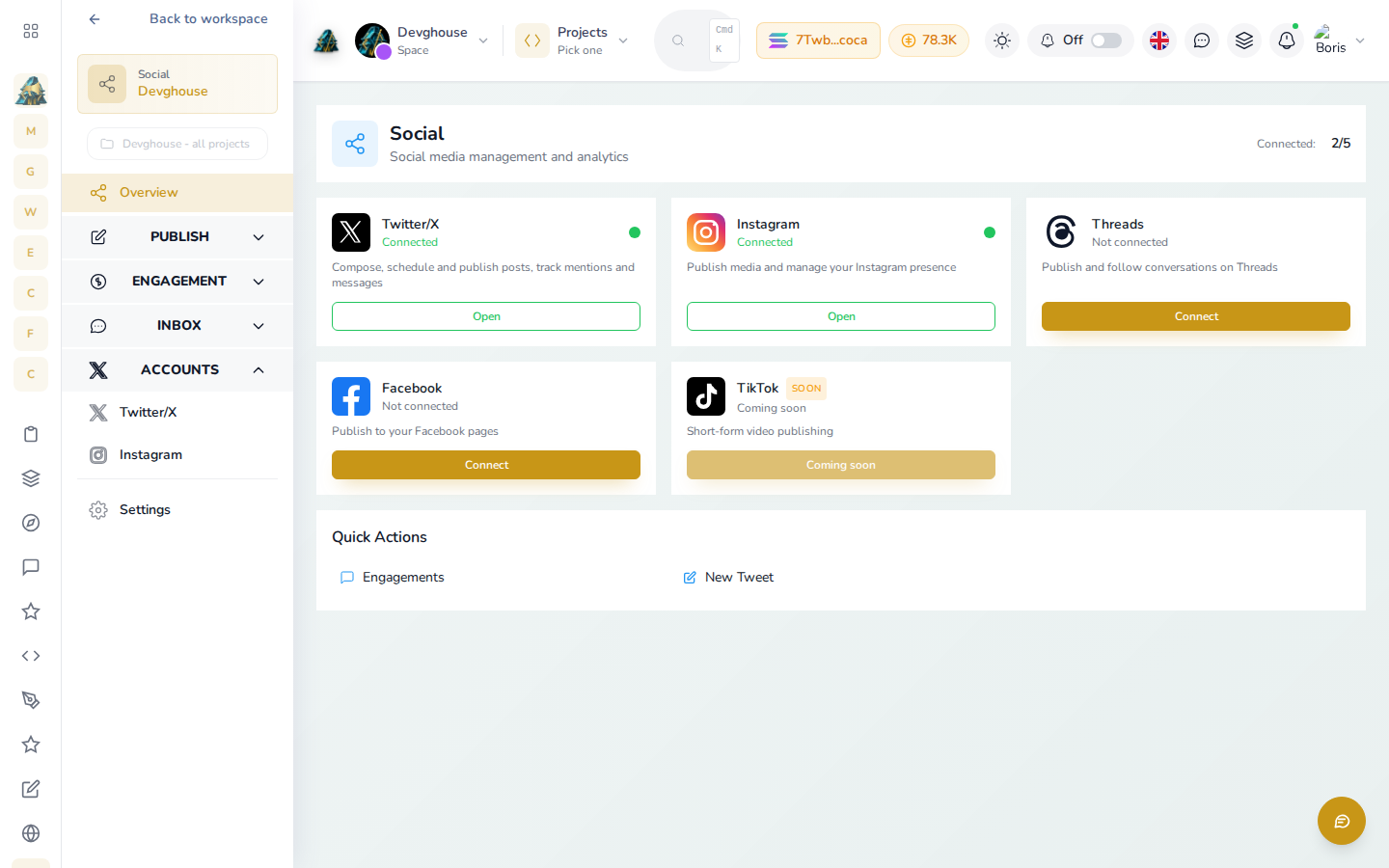
It is for anyone who posts on behalf of a business: a solo founder posting their own launches, a social media manager running a client's account, or an agency that needs one review step before anything goes out under a client's name.
What you can do
| Feature | What it does |
|---|---|
| Getting started | Turn on Social for your workspace and connect your first account. |
| Posting on X | Draft, save and post tweets and threads, read your mentions and timeline, and send direct messages. |
| Instagram, Threads and Facebook | Connect each network and publish photos, video, carousels and Page posts. TikTok is coming soon. |
| Engagement and leads | Set up a rule that watches for keywords or accounts, drafts a reply in your voice, and waits for your approval before it posts. |
| Friends | Connect with other people on DevGhouse, separate from your social media accounts. |
Who this is for
- A founder who wants a launch post to go out on X the moment it's ready, with no extra app to open.
- A social media manager drafting a week of client content in one sitting, for someone else to approve later.
- An agency or consultant who wants every auto-drafted reply reviewed by a person before it ever reaches a client's followers.
How it fits your workspace
Social lives under your workspace, not under one project. When you connect an X account, that connection belongs to whichever context you connected it from, your personal account or a shared workspace, and everyone with access to that context can post through it. Switch context from the top bar before connecting an account if you want it to belong to a client's workspace instead of your own.
Friends is part of Social too. Enabling Social also turns on Friends, so you can connect with other DevGhouse users without it needing its own separate switch.
Run it with an AI assistant
If you connect Claude, Codex or another assistant to your workspace, it can draft, schedule and review posts for you, using the same social, twitter, instagram, threads and facebook tools this guide describes: social_post_create and social_post_queue to file and hand off a draft across any connected network, twitter_post_tweet and twitter_post_thread to post to X directly, instagram_publish_post, threads_publish_post and facebook_publish_post for the other networks, and social_engagement_rule_create plus social_engagement_draft_approve for the watch-and-reply pipeline. Every tool only reaches the networks you've actually connected.
You can also set up a routine, a scheduled or triggered automation, that drafts a post every morning or scans for leads on its own schedule. Routines live under Agents in your workspace.
Credits
Connecting an account, drafting a post and reading your own posts, mentions and messages are all free. Sending something (posting a tweet, publishing to Instagram, Threads or Facebook, sending a direct message) and running a search or a lead scan spend credits. Every button that spends credits shows the exact cost on it before you click.